![Route Compact.png]](https://44031258.hs-sites.com/hs-fs/hubfs/Route%20Compact.png?height=40&name=Route%20Compact.png)
What is?
An e-sign, short for electronic signature, refers to a digital representation of a person's signature that is used to sign documents electronically. It serves as a legally binding way to indicate a person's consent, authorization, or approval of the contents of a document or agreement. E-signatures have gained significant popularity due to their convenience, efficiency, and security in various industries and legal contexts.
Benefits:
-
Convenience: E-signatures eliminate the need for physical signatures, allowing individuals to sign documents from anywhere, at any time, using digital devices such as computers, tablets, or smartphones. This convenience enables faster turnaround times, reducing delays in document processing.
-
Efficiency: Traditional paper-based signing processes can be time-consuming and require physical delivery or mailing of documents. E-signatures streamline the signing process by enabling instantaneous transmission and receipt of signed documents, resulting in improved workflow efficiency.
-
Cost savings: Adopting e-signatures can significantly reduce costs associated with printing, paper, ink, shipping, and storage of physical documents. Businesses can save money on administrative tasks and improve overall operational efficiency.
-
Improved customer experience: E-signatures simplify and expedite the signing process for customers, leading to a more positive experience. Businesses can provide a seamless digital journey for clients, reducing paperwork and eliminating the need for in-person visits.
-
Environmental sustainability: By reducing the reliance on paper-based processes, e-signatures contribute to environmental sustainability efforts. The decreased paper consumption and waste help conserve natural resources and reduce carbon emissions associated with paper production and transportation.
How to use E-Sign
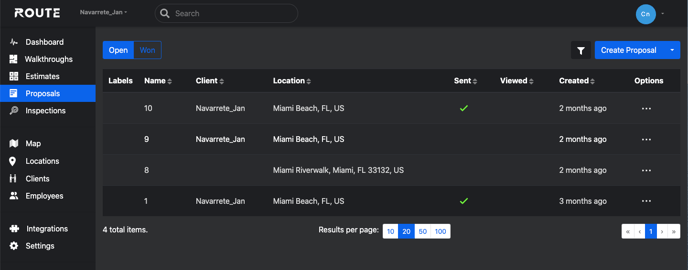
To begin using our E-Sign feature, you must first select the proposal you wish to get signed.
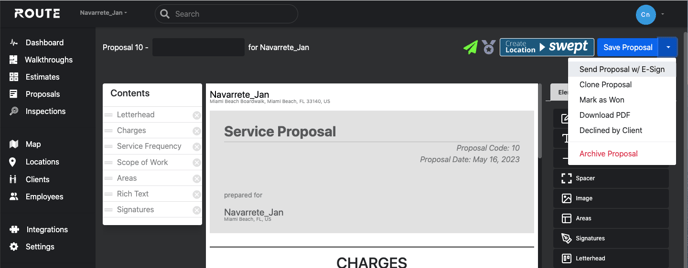
After selecting a proposal, you can click on the white arrow within the Save Proposal button in the upper right hand corner. Then click on 'Send Proposal w/ E-Sign'.
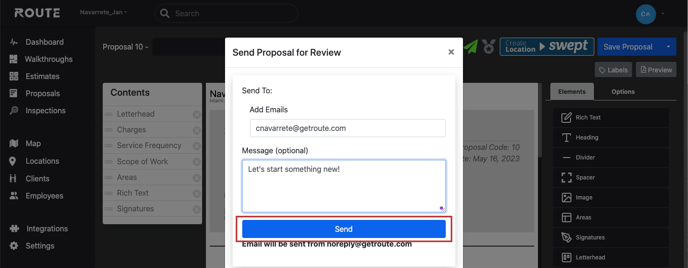
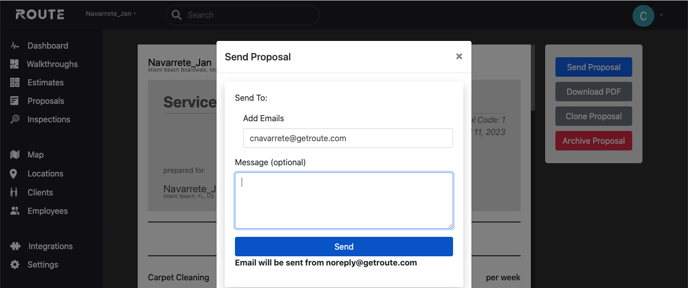
A pop-up will prompt you to enter your Customers Email as well as an optional message. Afterwards you can click send.
Your customer will receive an email which will prompt them to Review and Sign the Proposal.
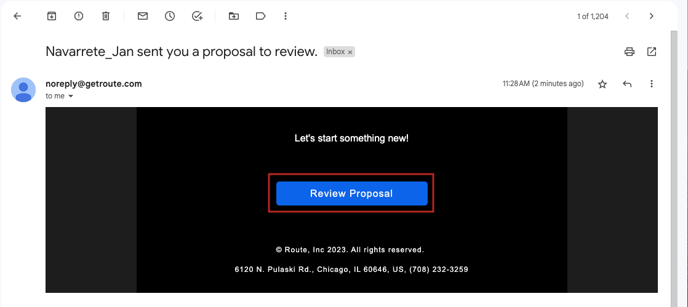
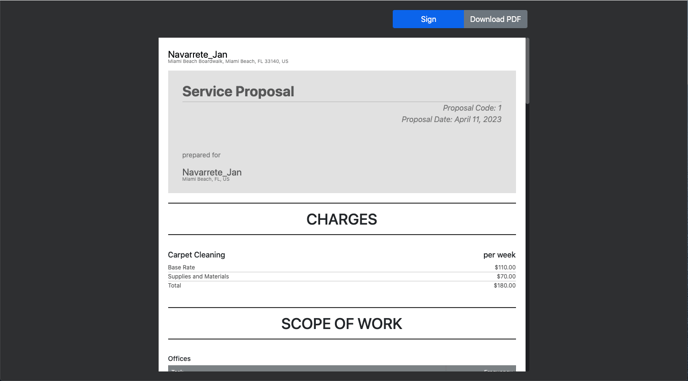
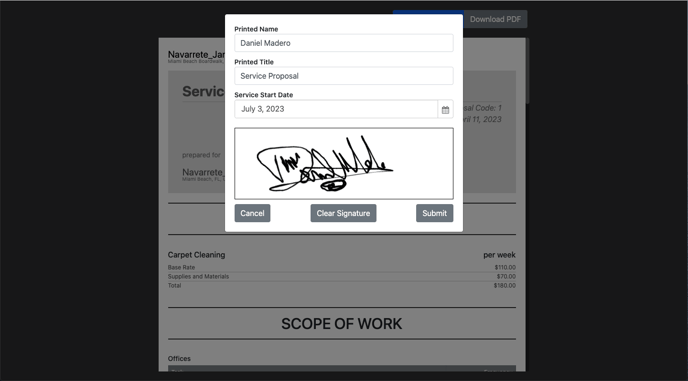
Once your customer has signed your Proposal you will be notified via email at which point you can View and Sign it as well.
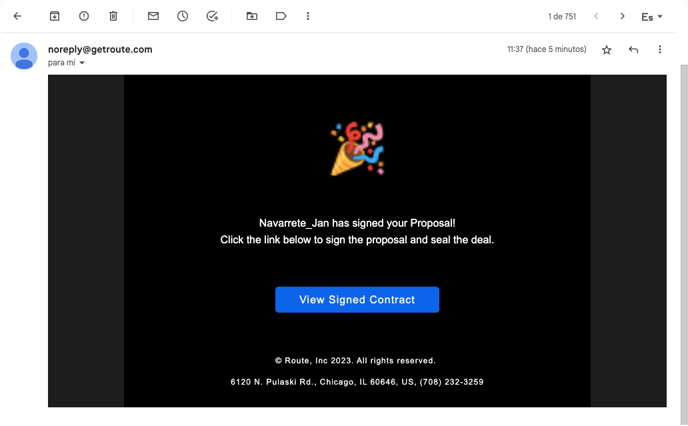
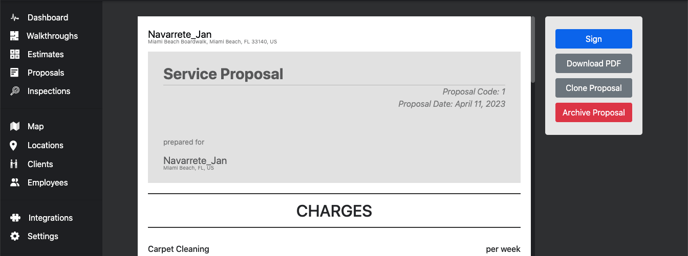
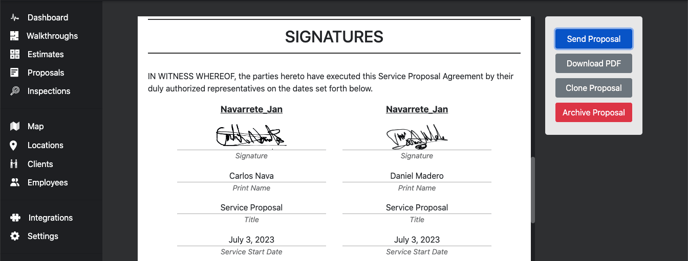
Upon adding your Signature you will be prompted to send the now fully signed Contract to your Customer so they have a Copy of it. Once you have reviewed it, you will be able to continue doing business!
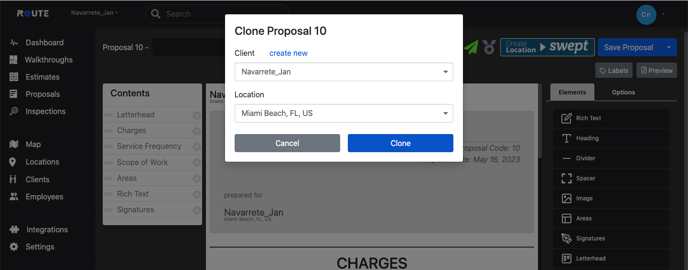
Once fully signed you will no longer be able to edit the Proposal, Instead you will need to Clone it which make a Signatureless Copy and allow you to make any necessary edits.