![Route Compact.png]](https://44031258.hs-sites.com/hs-fs/hubfs/Route%20Compact.png?height=40&name=Route%20Compact.png)
1-2-3-4
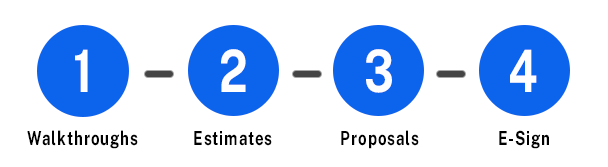
Route's 1-2-3-4 process makes closing deals easy!
First, perform a Walkthrough with Route's mobile app. Then, use that data in the Estimate Calculator to determine your charges and profitability. Lastly, tie it all together in the Proposal Generator and send your clients a professional document for them to sign!
Key Features
🚶♂️ Walkthrough Builder
-
The first part of any new relationship with a client starts with a Walkthrough at their location. You can create digital Walkthroughs of client buildings with the Route mobile app to enter square footage, count fixtures, enter detailed notes, save floor types, and take photos.
🔢 Estimate Calculator
-
Use Walkthrough data to effortlessly create a bid with the estimator. Accurately forecast your profitability and costs for multiple service types. Route's Estimator streamlines the process with 3 bidding methodologies that allow sales teams to quote work for all of their company's services seamlessly and effectively.
📋 Proposal Generator
-
Quickly and easily create professional proposal documents tailored specifically towards your clients. Add client logos, customized color options, one-click scope of work creation, and import your Walkthrough notes and photos in just a few minutes!
💪 Workforce Management
-
Track employee clock-ins along with timestamped proof of work for tasks. Schedule and assign your team to jobs in just a few clicks and even attach photos for proof of work.
 E-Sign
-
Our new e-sign feature allows you to email and download proposals so you can do everything electronically. A simpler and more efficient way to give the user a signature.
🔍 Inspections
-
Route’s Quality Control tool allows your team to stay connected and keep clients happy. Inspectors can create reports in just a few clicks with photos of the client’s space and use the text markup feature to easily call out any issues.
🏢 Company Portal
-
Organize your client data in one centralized location. Add leads and clients into Route and upload documents and photos by client or location. Use Custom Info tags to manage critical client details.