![Route Compact.png]](https://44031258.hs-sites.com/hs-fs/hubfs/Route%20Compact.png?height=40&name=Route%20Compact.png)
How to create an Estimate
You have to start from somewhere - let's take the first step together! There are 2 ways to create an Estimate but we always recommend you create an Estimate from a completed Walkthrough for increased accuracy. Creating an Estimate from a Walkthrough automatically carries over the Services you selected, the square footage, and the fixture counts.
Note: You can only create Estimates on the web app at https://login.getroute.com/auth/login Route is optimized for the Google Chrome browser.
How to create an Estimate
🚶♂️ From a Walkthrough
-
Import your Walkthrough data directly into an estimate. The square footage, fixture counts, and the Client's name and address will populate into the Estimate Calculator. This is the most accurate way to create an estimate.
✍ From Scratch
-
Create an estimate without a Walkthrough. Select your services or just the Client's name and location to start building your Estimate.
Creating an Estimate from a Walkthrough
Let's start creating an Estimate from a completed Walkthrough!
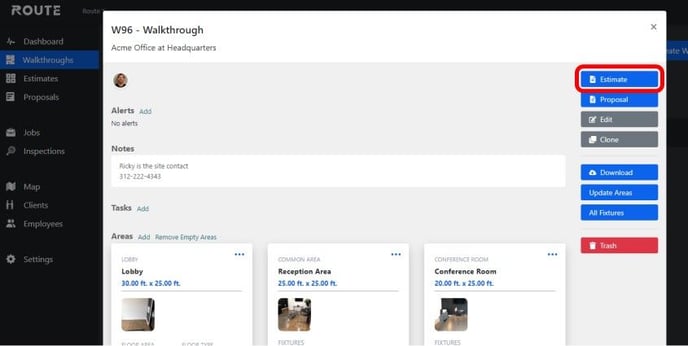
First, select your completed Walkthrough within Route and open up the Walkthrough Overview. In the upper right corner, click Estimate.
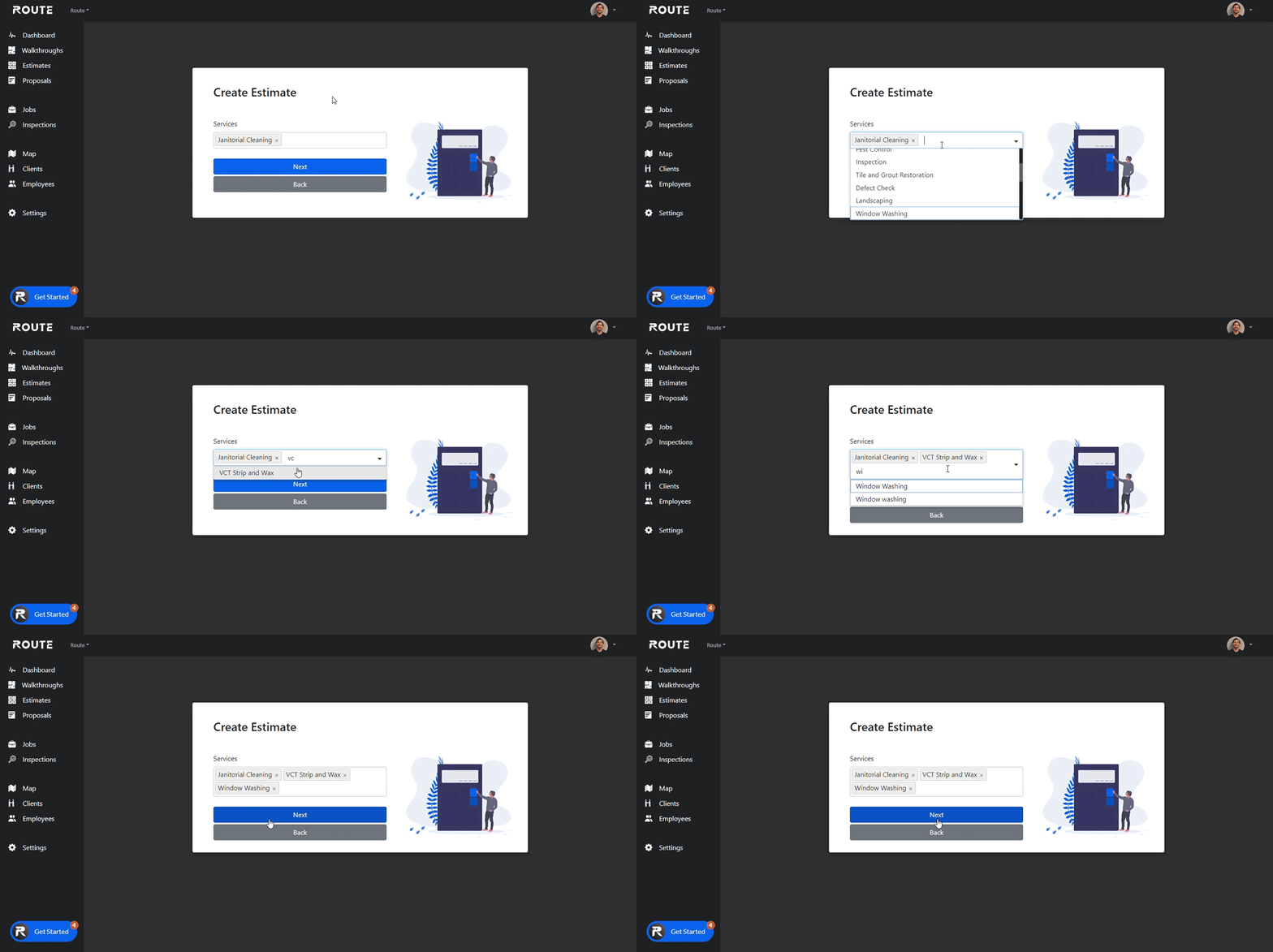
Next, you will be asked to select which Services that will be included in your Estimate. The Services that were originally selected from your Walkthrough will automatically populate, but you can also add or remove as needed.
Let's select janitorial cleaning, VCT strip & wax, and window washing. Once your services have been selected, click Next.
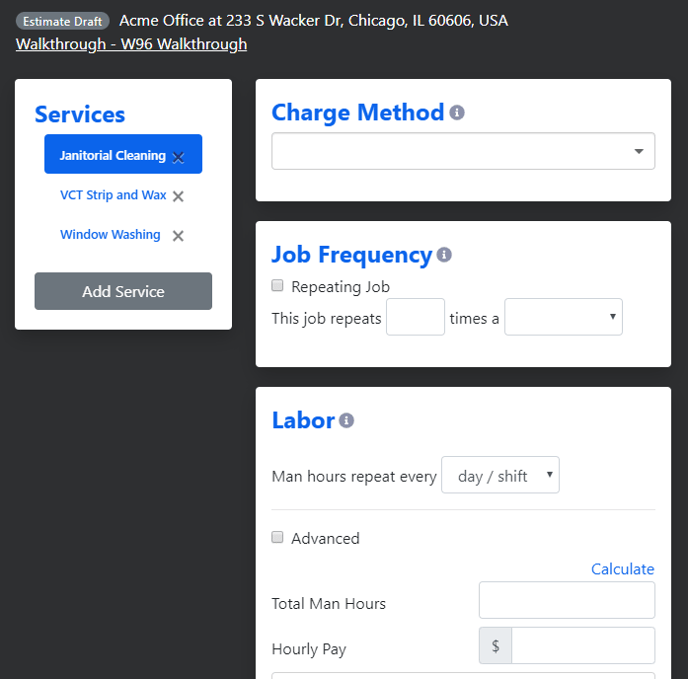
This is the Estimate Calculator screen. On the left are the Services you selected on the previous screen. Each Service is worked on independently and totaled on the Proposal Generator. To switch which Service you are working on, click the name of the Service.
Creating an Estimate from scratch
Let's create an Estimate for a job without a completed Walkthrough.
On the left side of your screen, click Estimates.
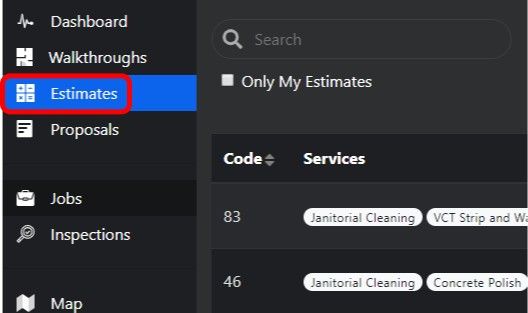
This will take you to a list of all of your previously created Estimates. In the upper right corner, click Create Estimate to begin!
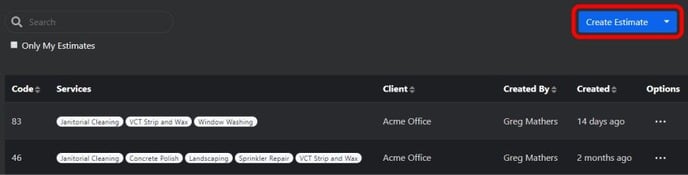
Now you will have 3 options to create your Estimate. They are:
-
Use a completed walkthrough: select a walkthrough that you have performed. This will pull in their client info, square footage, floor types, and fixture counts.
-
Select a client and location: if you have not performed a walkthrough, select just the Client, their location, and the Services you are bidding.
-
Select services: work on an Estimate just based only on the Services you select with no Client associated.
If you click Use a completed walkthrough than you can search for your completed Walkthrough and select the Services you will be working on.

If you click Select a client and location than you can search for your Client and select the Services you will be working on.

If you click Select services than you will only select the Services you will be working on.

Great job! You have taken the first step to creating an awesome Estimate!